Add your company once
Company name, address, VAT, TrustMark number and logo. Every template picks them up automatically.
 PAS 2030 · PAS 2035 · PAS 2038 · Quality Management System · Complete & sign online
QMS Gurus gives installers, Retrofit Coordinators and non-domestic retrofit teams a complete Quality Management System for PAS 2030, PAS 2035 and PAS 2038 that brands itself. Add your company details once and every policy, procedure and form is produced with your name and logo. Then go further: fill in any document through a simple online form, send it to colleagues and customers to complete, and collect electronic signatures in the right order. Finished Word and PDF copies are ready for your audit.
Stop find-and-replacing company names across dozens of Word files. QMS Gurus merges your details and logo into every template, including headers, footers and Word content controls, and hands you a ready-to-file bundle.
Company name, address, VAT, TrustMark number and logo. Every template picks them up automatically.
Search, select a whole section like 1.x, or use a saved pack. Only the documents you've been given show up.
Placeholders, content controls and logos are merged into every page, header and footer for you.
A ready-to-file ZIP of Word documents, with preview and PDF copies one click away.
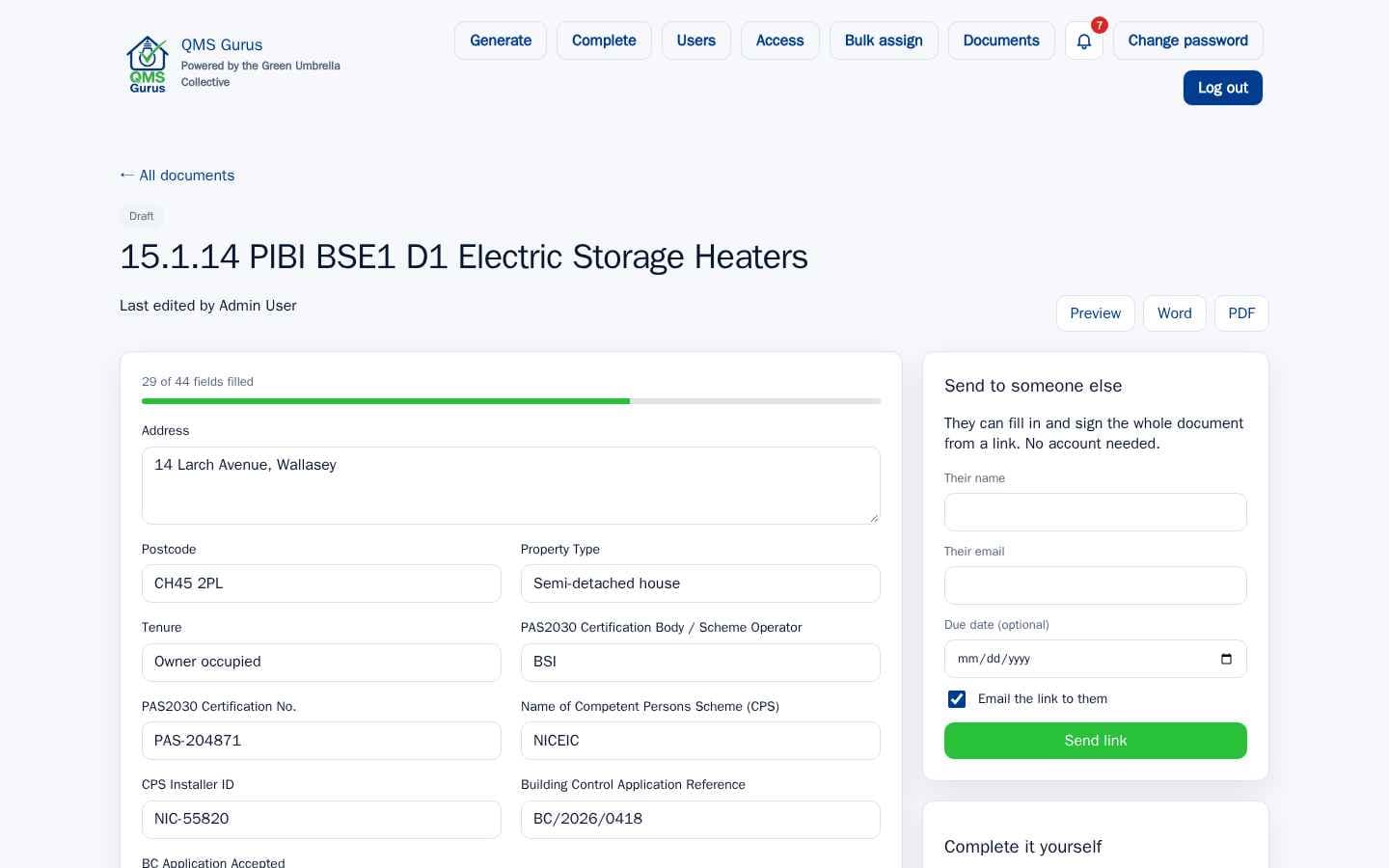
QMS Gurus reads each Word template and turns its blank boxes, Yes / No answers, tick boxes and placeholders into a clean form. Fill it in yourself or send it to the person who knows the answers.
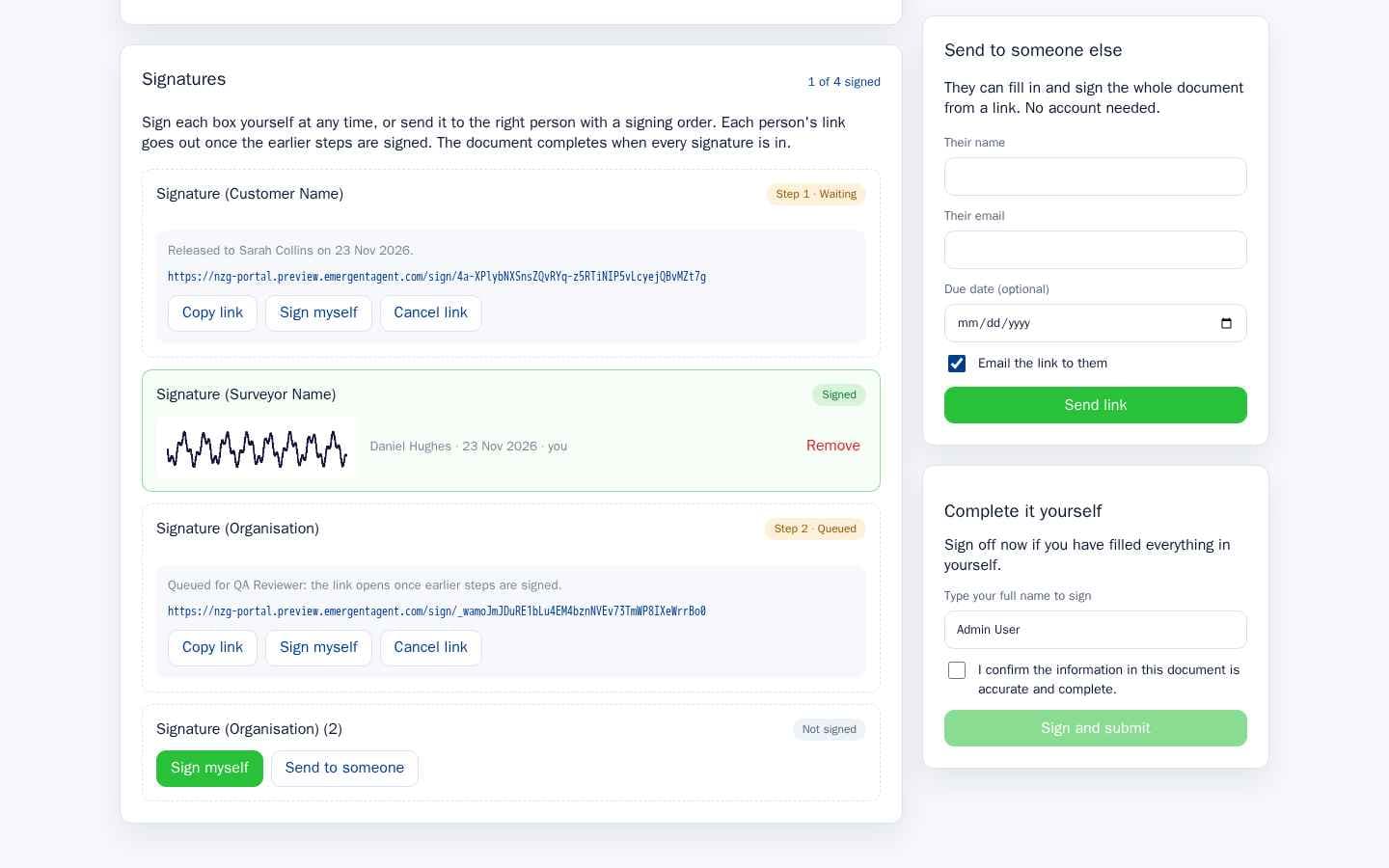
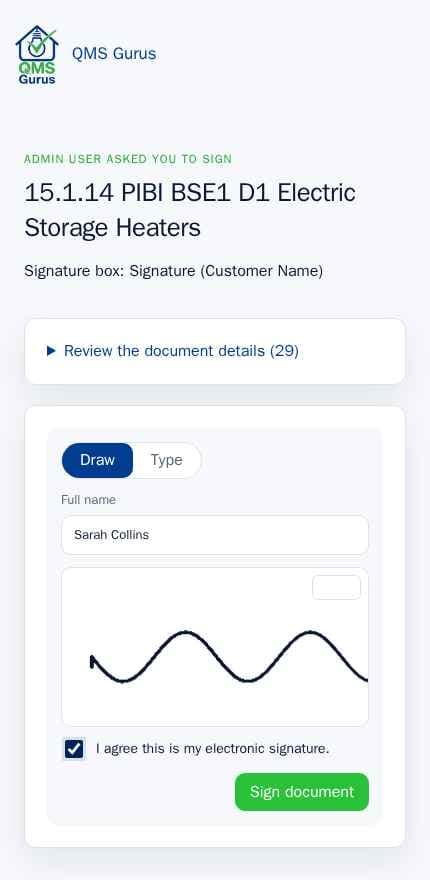
Any document with signature boxes gets a Signatures section. Sign your own boxes whenever you like, and send the rest to surveyors, installers and customers, each through their own secure link.
QMS Gurus isn't a generic document tool. It's built from the ground up for PAS 2030 installers, PAS 2035 Retrofit Coordinators and PAS 2038 non-domestic projects by Retrofit Coordinators who run quality systems every week.
Quality Management System templates for installers (PAS 2030), Retrofit Coordinators (PAS 2035) and non-domestic retrofit (PAS 2038): policies, procedures, PIBI forms, contracts and records, kept up to date centrally.
Your company details and logo replace every placeholder, including those inside Word content controls, headers and footers.
Blank table cells, Yes / No answers, tick boxes and [Insert …] placeholders become a clean web form for every document.
Rename questions, change field types, mark answers as required, reorder, add extra questions or re-detect from the template.
Email a secure link or copy it to WhatsApp or Teams. The recipient fills in the whole document with no account needed.
Set a deadline when you share. If it slips, the recipient gets an automatic reminder email.
Every signature box can be drawn with a finger or mouse, or typed. The signature lands in the right cell of the Word and PDF.
Surveyor first, customer second: each person's link only goes out once the earlier steps have signed.
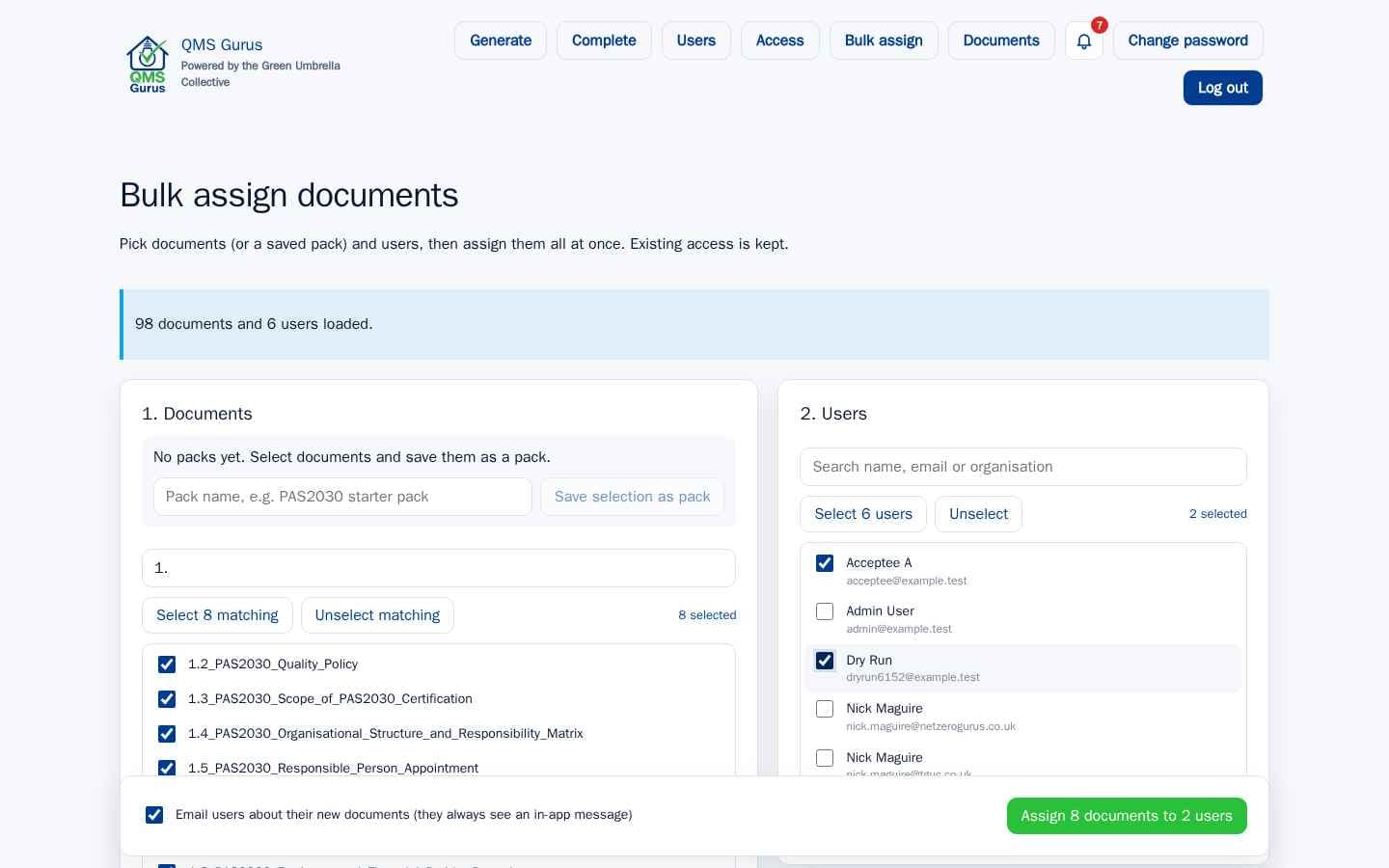
Give many documents to many users at once, select by number prefix, or save named packs like "PAS 2030 starter pack".
In-app pop-ups and a notification bell for new documents and signatures, plus email when someone finishes.
Approve sign-ups, invite users, control exactly which documents each client can see and generate.
Encrypted connections, private share links that can be switched off, rate-limited public pages and no data sold or shared.
Upload templates in bulk, build forms, approve sign-ups and invite users. Then assign the right documents to everyone at once, by search, number prefix or saved pack. Existing access is always kept.
Add your details and logo once. Your admin assigns the documents you need.
Download a branded bundle, or fill any document online through its form.
Send links to colleagues, installers and customers to complete and sign in order.
Download the signed Word and PDF copies, ready for your PAS 2030, PAS 2035 or PAS 2038 audit.
No per-document fees and no per-signature charges. Every plan includes:
£595 + VAT
Includes the PAS 2035 Retrofit Coordinator library
Included with PAS 2030
No extra cost for PAS 2030 customers
£995 + VAT
Complete non-domestic retrofit document set
PAS 2030 for installers, PAS 2035 for Retrofit Coordinators and PAS 2038 for non-domestic retrofit. Every document is tagged by standard and type, so you can filter, assign and complete just the set you need.
The full library of PAS 2030 QMS templates (policies, procedures, forms and records), automatic branding with your company details and logo, online completion, e-signatures and Word/PDF downloads.
No. Anyone with the link can complete or sign, and nothing else in your account is visible to them. You can switch a link off at any time.
Every signature box in a document can be signed by you or sent to someone else. They draw or type their signature, and it's placed into the correct box in the Word and PDF, with the date and their name.
Yes. Give each signature a step number. The next person's link only goes out once everyone in the earlier step has signed. People with the same step can sign at the same time.
Yes. Your template's own footer stays. We just add a small "Powered by the Green Umbrella Collective" line underneath.
Yes. Bulk assign lets you pick any number of documents and users in one go, or save document packs to reuse. Users are notified automatically.
Everything is generated as editable Word (.docx), with PDF copies for completed documents and previews.
QMS Gurus is built by working Retrofit Coordinators and is powered by the Green Umbrella Collective.
Questions about PAS 2030, PAS 2035, PAS 2038, pricing or getting your team set up? Send us a message and we'll get back to you, usually within one working day.
Email ushello@tguc.co.ukBook a demo and we'll brand, complete and sign a PAS 2030 document with you live on the call.
Book a demo